The agent can run code and it can call tools. This post joins the two, so the agent can call your tools from inside its code.
The reason is combination. A tool called from the outside does one thing and returns to the model.
A tool available inside the sandbox is a function the agent's program can call in a loop, inside an
if, alongside a library, all in one execution.
Two ways to solve the same problem
Take a real task: "how many revisions did this Wikipedia page have before a given date?" That needs the revision history, filtered by date, then counted.
The first approach registers a tool, get_wikipedia_revisions, and has the agent call it, read the
result into the context, and reason about it step by step. That works, and every intermediate result
flows through the model.
The second approach makes that same function available inside the sandbox, and lets the agent write code that calls it.
# inside one code execution
revisions = get_wikipedia_revisions("Penguin")     # your tool, called from code
before = [r for r in revisions if r.date < "2022-01-01"]
print(len(before))                                  # only the count returns
The filtering and counting happen in the sandbox. The full revision list, which could be thousands of entries, never enters the model's context. Only the answer comes back. That is the portability payoff: your tool becomes a building block in a program, not just a step in a conversation.
Extending FunctionTool to run in the sandbox
The tool wrapper from earlier in this series already turns a Python function into an agent tool. Porting
it means making that same function callable inside the sandbox, so a SandboxTool extends the
FunctionTool we built.
class SandboxTool(FunctionTool):
    """A tool that is also exposed as a callable function inside the sandbox."""

    def inject(self, sandbox):
        # define the function inside the sandbox so agent code can call it by name
        sandbox.define(self.name, self.func)
The mechanism is the same idea throughout this series: reuse the interface, add one capability. A
SandboxTool is a FunctionTool that also knows how to install itself into the sandbox, so the same
function is available both as a normal tool call and as a function the agent's code can invoke.
Making the agent aware of them
The agent needs to know which of its tools are callable from code, so its programs can use them. Before running code, the agent injects the sandbox tools, then tells the model they are available.
async def execute_python(self, code: str) -> str:
    for tool in self.sandbox_tools:
        tool.inject(self.sandbox)          # make each tool callable inside the sandbox
    return self.sandbox.run_code(code)
Now the model knows it can write get_wikipedia_revisions(...) inside a program, the same way it knows
it can call glob or pandas. Your tools have joined the library, and the agent composes them with
everything else the language offers.
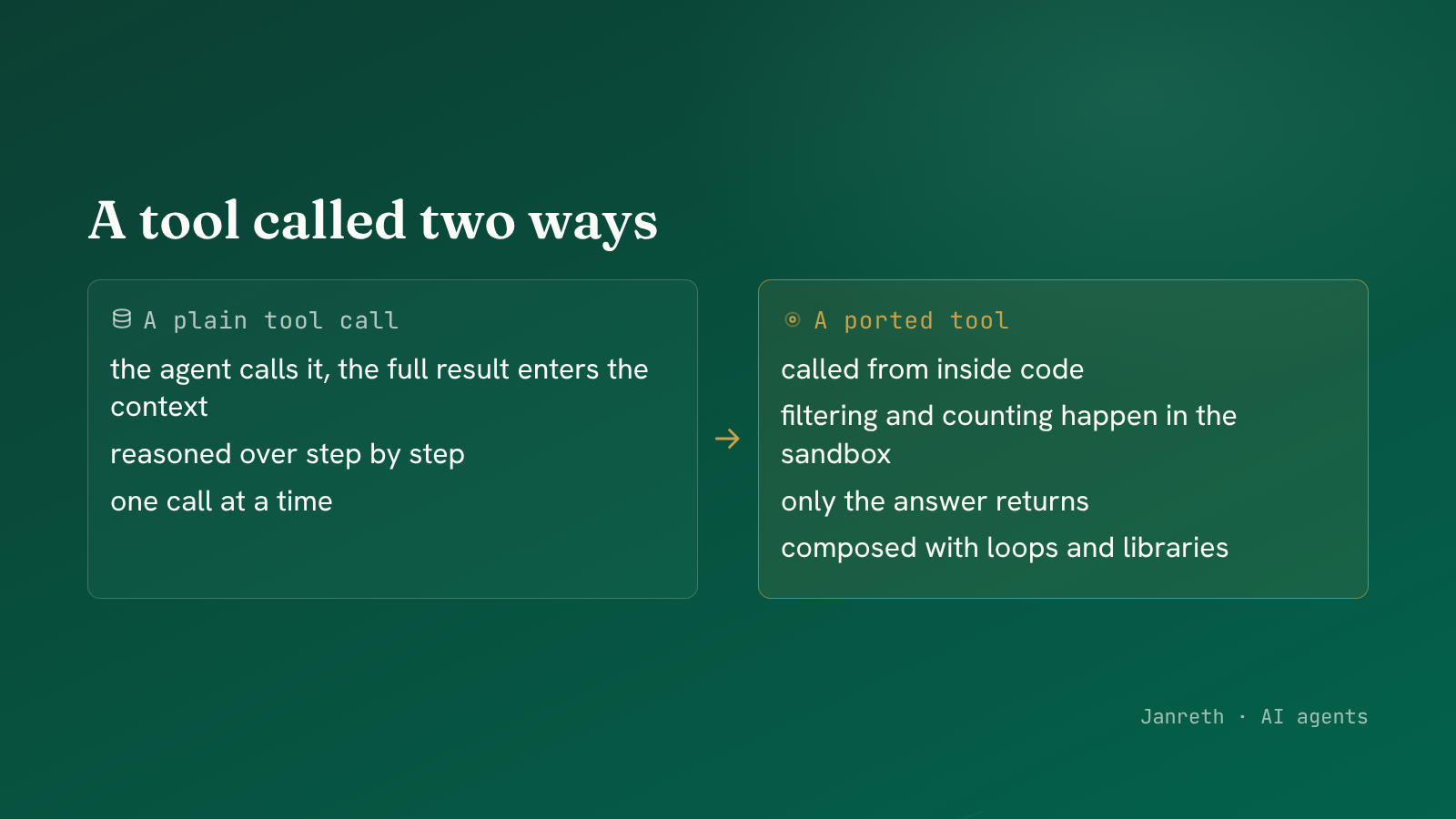 A ported tool becomes a function the agent's code can call, composed with loops, conditions and libraries.
When to port a tool, and when not to
Not every tool belongs in the sandbox, and the choice follows a simple test.
Port it when the agent will combine it with other logic. A tool that returns a big list the agent needs to filter, sort or aggregate is far better called from code, where the heavy data stays in the sandbox and only the answer returns.
Keep it a plain tool when it is a single, self-contained action. "Send this email" is one action with one result. Wrapping it in code adds nothing, and a plain tool call, gated and logged, is clearer and safer.
| Ported to the sandbox | Plain tool call | |
|---|---|---|
| Best for | Data the agent will process further | A single self-contained action |
| Where the data lives | In the sandbox, out of context | Returned to the model |
| Composable with code | Yes, in loops and conditions | No, one call at a time |
| Example | Fetch-then-filter-then-count | Send an email, issue a refund |
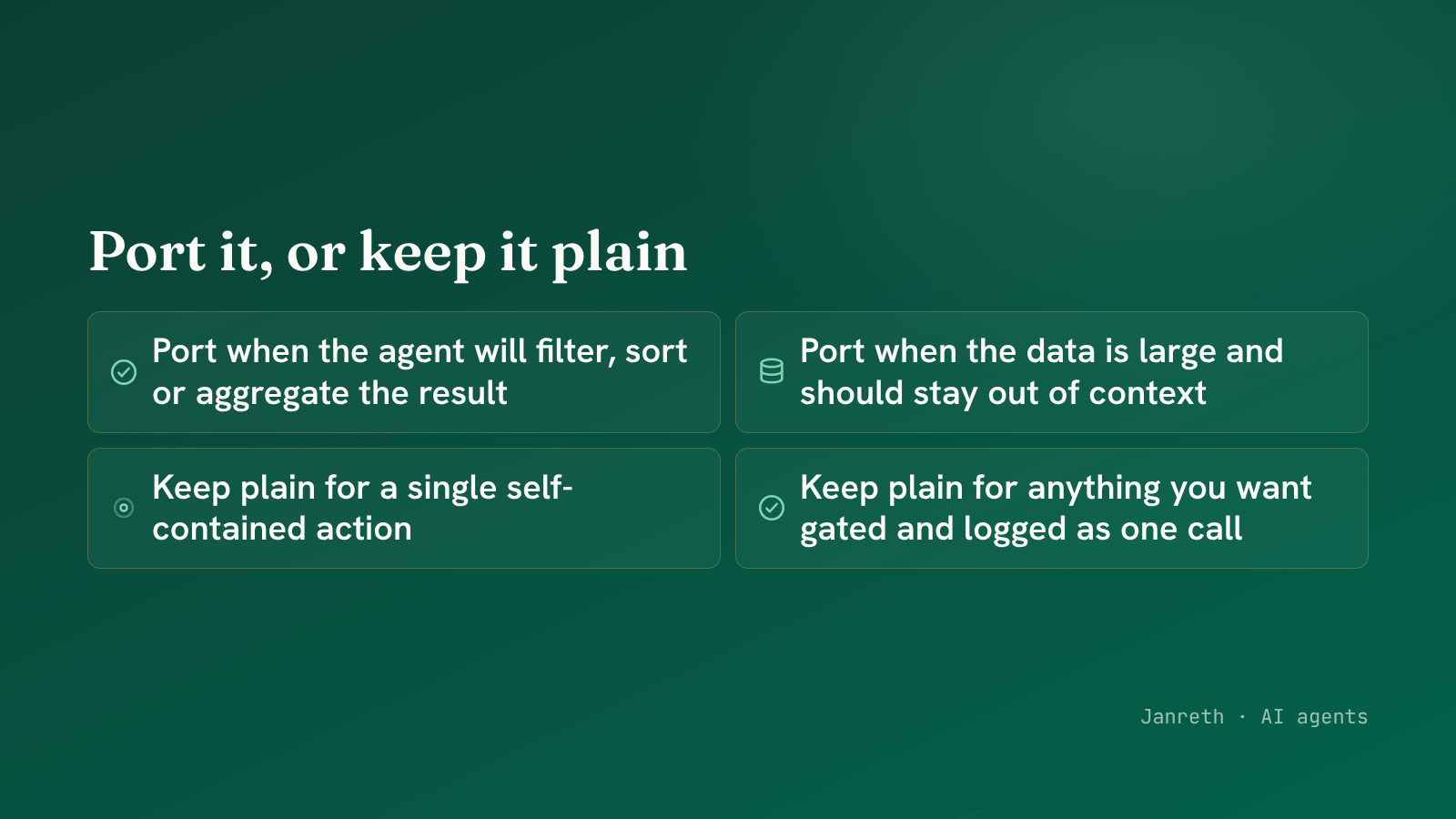 Port a tool when its results feed more logic; keep it a plain call for a single action.
What to take from this
- Porting a tool makes it callable from inside the agent's code, so it becomes a building block in a program rather than a single step in a conversation.
- A
SandboxToolextends theFunctionToolwe already built: same interface, plus the ability to install itself into the sandbox. Reuse the wrapper, add one capability. - Port a tool when the agent will process its results further, so the heavy data stays in the sandbox and only the answer returns. Keep single self-contained actions as plain, gated tool calls.
The agent can now run code and call your tools from it. Give it a filesystem and a command line as well, and the sandbox becomes a full workspace. The next post does that.