A sandbox runs a snippet of code and returns the output. A workspace is more: a sandbox with a filesystem that persists across steps and a command line, so the agent has a small computer to work on.
That upgrade quietly removes the need for a whole category of tools, because a workspace lets the agent do things by writing code or running a command instead of calling a function you built.
What a workspace adds
Three pieces make a sandbox into a workspace.
Code execution, which we already have: the agent writes and runs Python.
A persistent filesystem. Files the agent creates in one step are still there in the next. It can download a spreadsheet, save an intermediate result, write a report, and each survives to be used later, instead of vanishing when a single code snippet finishes.
A command line. The agent can run shell commands, which opens the entire ecosystem of command-line
tools: grep, ls, image and PDF utilities, anything installed in the sandbox.
Many "tools" become just code
Here is the shift. You do not need a list_files tool when the agent can run os.listdir() or ls.
You do not need a search_files tool when it can run grep.
"Find every log file containing the word error in this folder" needs no dedicated tool at all.
# the agent writes this, no search_files tool required
import glob
for path in glob.glob("**/*.log", recursive=True):
    if "error" in open(path).read():
        print(path)
Or, more simply, one command.
grep -rl "error" *.log
A tool you would have designed, named, registered and maintained is replaced by a line the agent writes on the spot. The workspace is what makes the "fewer tools, more code" argument from earlier in this chapter concrete: with a filesystem and a shell, the agent improvises the capability instead of reaching for a pre-built function.
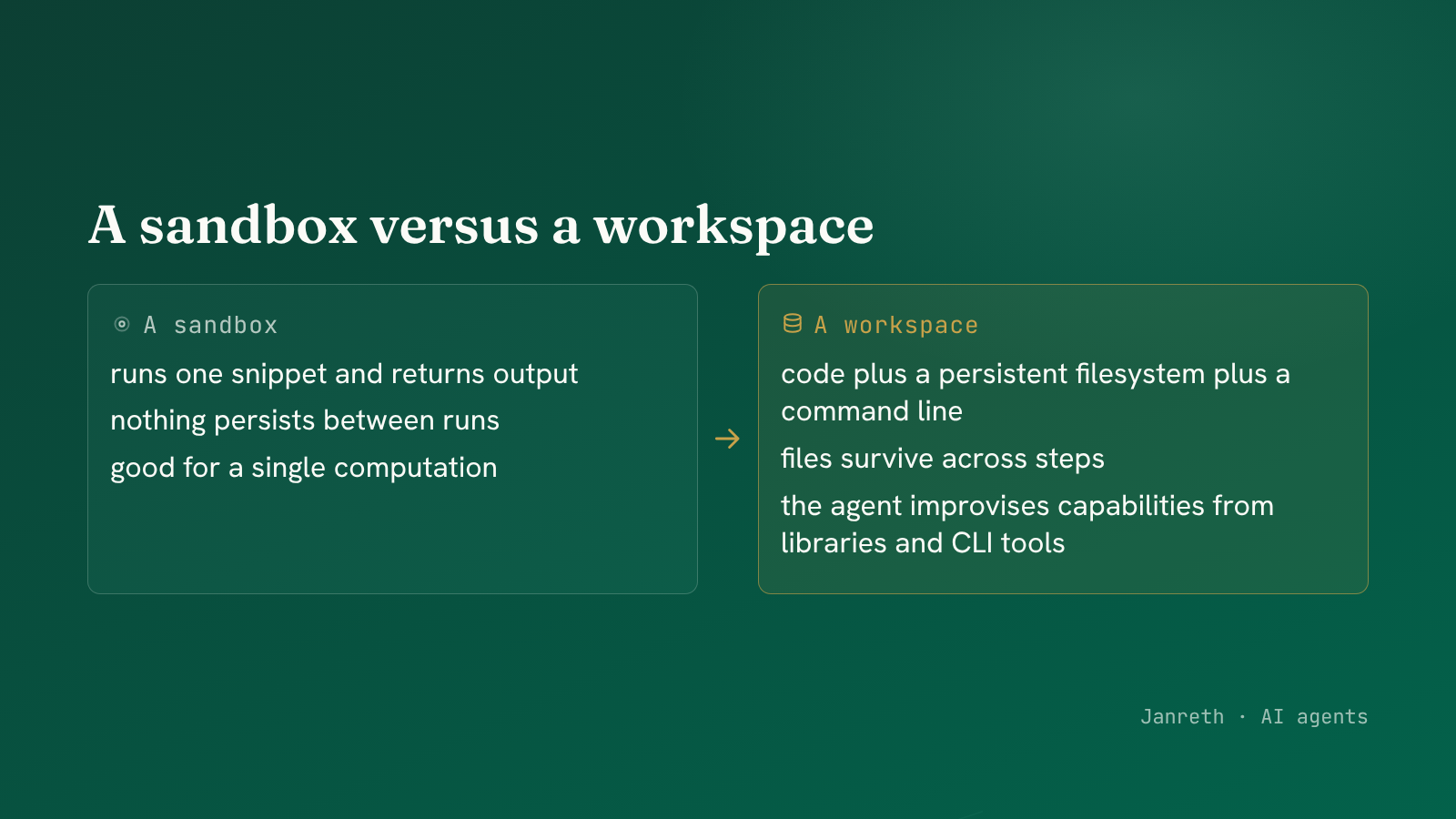 A workspace is code plus a persistent filesystem plus a command line. Many tools become a line of code.
The one tool a workspace needs: a shell
To give the agent the command line, you add one tool: run a shell command, return its output.
@tool
def bash(command: str) -> str:
    """Run a shell command in the workspace and return its output."""
    return sandbox.run_command(command)     # inside the sandbox, not on the host
One tool unlocks a whole ecosystem. That is the leverage of a workspace: instead of registering a tool per capability, you register the command line once and let the agent reach the thousand tools already sitting on it. The same boundary from the sandbox post still holds, so every command runs in isolation, not on your machine.
A worked example: analysing a spreadsheet
Watch the pieces combine on a real task: "what were the total sales in this Excel file?"
Action:  bash("ls")
Observe: sales_q2.xlsx

Action:  execute_python('''
           import pandas as pd
           df = pd.read_excel("sales_q2.xlsx")
           print(f"Total sales: {df['amount'].sum():,.0f}")
         ''')
Observe: Total sales: 1,284,300
No read_excel tool, no sum_column tool. The agent listed the workspace to find the file, then wrote
four lines using pandas to answer the question. The spreadsheet was read inside the workspace, the whole
of it never entering the model's context, and only the total came back. A capability you would have
spent a day building as tools, the agent assembled from a library it already had.
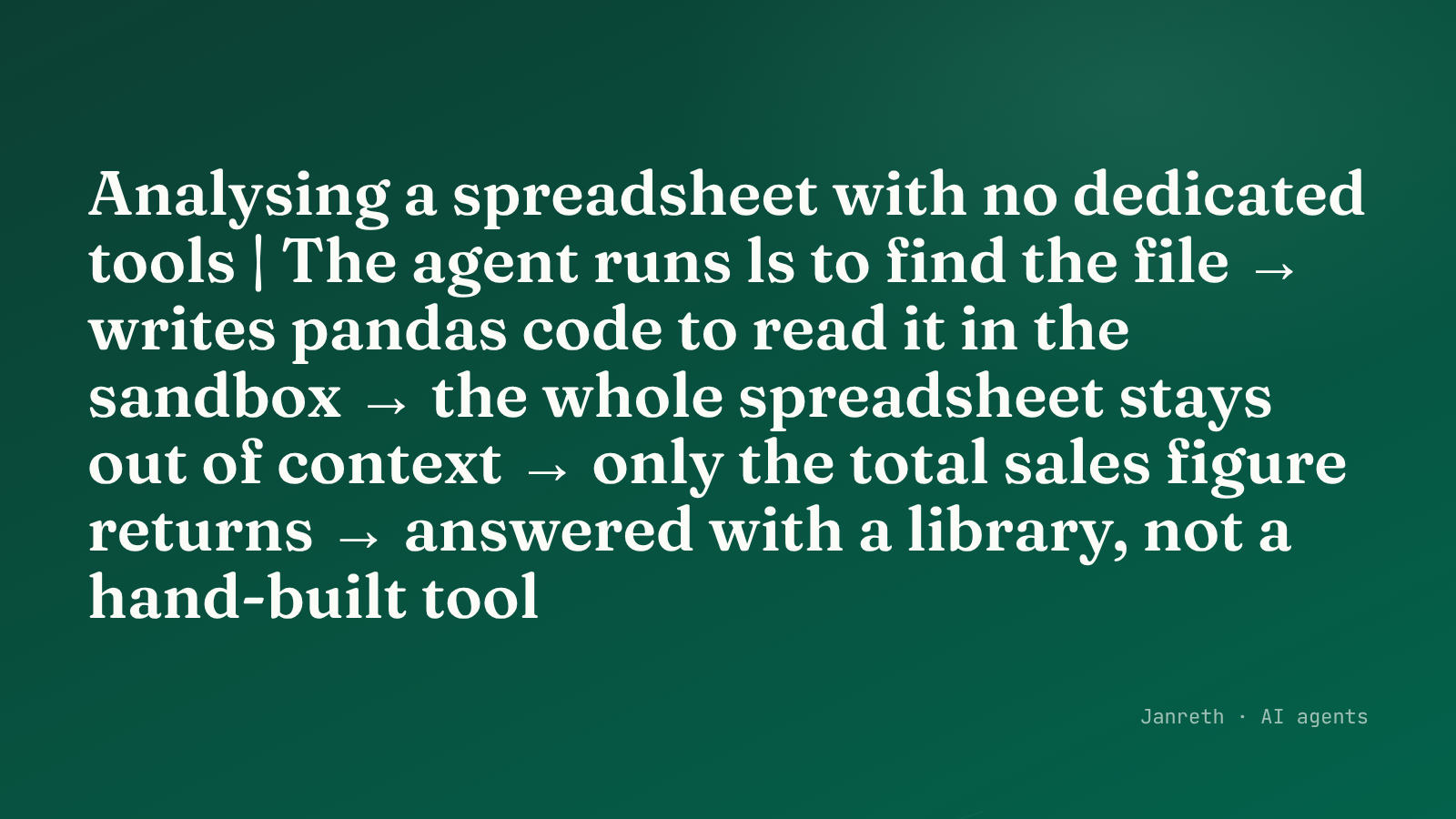 The agent lists the workspace, reads the spreadsheet with pandas in the sandbox, and returns only the total.
The trade to keep in view
A workspace is powerful precisely because it is general, and general power is exactly what the security series keeps circling. A shell is the most capable tool you can hand anything, and an agent takes direction from untrusted input. The workspace makes the agent far more capable and makes the case for the sandbox boundary far more important, not less. The security series returns to what a command line in the wrong hands can do.
What to take from this
- A workspace is a sandbox plus a persistent filesystem plus a command line: a small computer the agent works on across steps.
- It removes a whole category of tools. The agent lists files with
ls, searches withgrep, reads a spreadsheet with pandas, no dedicated tool required. - One tool, a shell, unlocks the entire command-line ecosystem. That leverage is real, and it makes the sandbox boundary matter more, because a command line is the most general capability there is.
Even with a workspace, an agent given a hundred capabilities has a hundred things to keep in mind. The last piece of this chapter organises them, so the agent loads what it needs when it needs it. The next post covers agent skills.