We have the two ideas: embeddings turn text into points, chunking cuts documents into pieces worth embedding. Vector search is what you get when you put them together.
The build is short. Doing it by hand first is what makes the case for a vector database obvious, rather than something you adopt because everyone else did.
The whole thing in one pass
Index the documents once: chunk them, embed the chunks, keep the chunks beside their vectors.
CHUNKS = [c for doc in documents for c in chunk(doc)]
VECTORS = get_embeddings(CHUNKS)          # one point per chunk
Then search: embed the question the same way, compare it to every chunk vector, and return the closest chunks.
def search(query: str, k: int = 3) -> list[str]:
    """Return the k chunks whose meaning is closest to the query."""
    q = get_embeddings([query])[0]
    scores = cosine_similarity([q], VECTORS)[0]     # similarity to every chunk
    top = scores.argsort()[::-1][:k]                # the k highest
    return [CHUNKS[i] for i in top]
Read the middle line. The query is a point, every chunk is a point, and cosine_similarity measures
the question against all of them at once. Sort, take the top few, and those are your relevant chunks.
That is retrieval, and it is a handful of lines because the two previous ideas did the hard part.
Retrieve, then generate
Retrieval-augmented generation names those chunks the "retrieval" half. The "generation" half is the step you already know: hand the chunks to the model as context and ask the question.
def answer(query: str) -> str:
    context = "\n\n".join(search(query))            # the relevant slice
    return ask(f"Using only this context:\n{context}\n\nQuestion: {query}")
The model never saw the whole corpus. It saw the three chunks that matched, which is the entire point:
put the relevant slice in the context, not everything. Wrap search as a tool and the agent from
chapter 4 can now reach into a knowledge base whenever it decides it needs one.
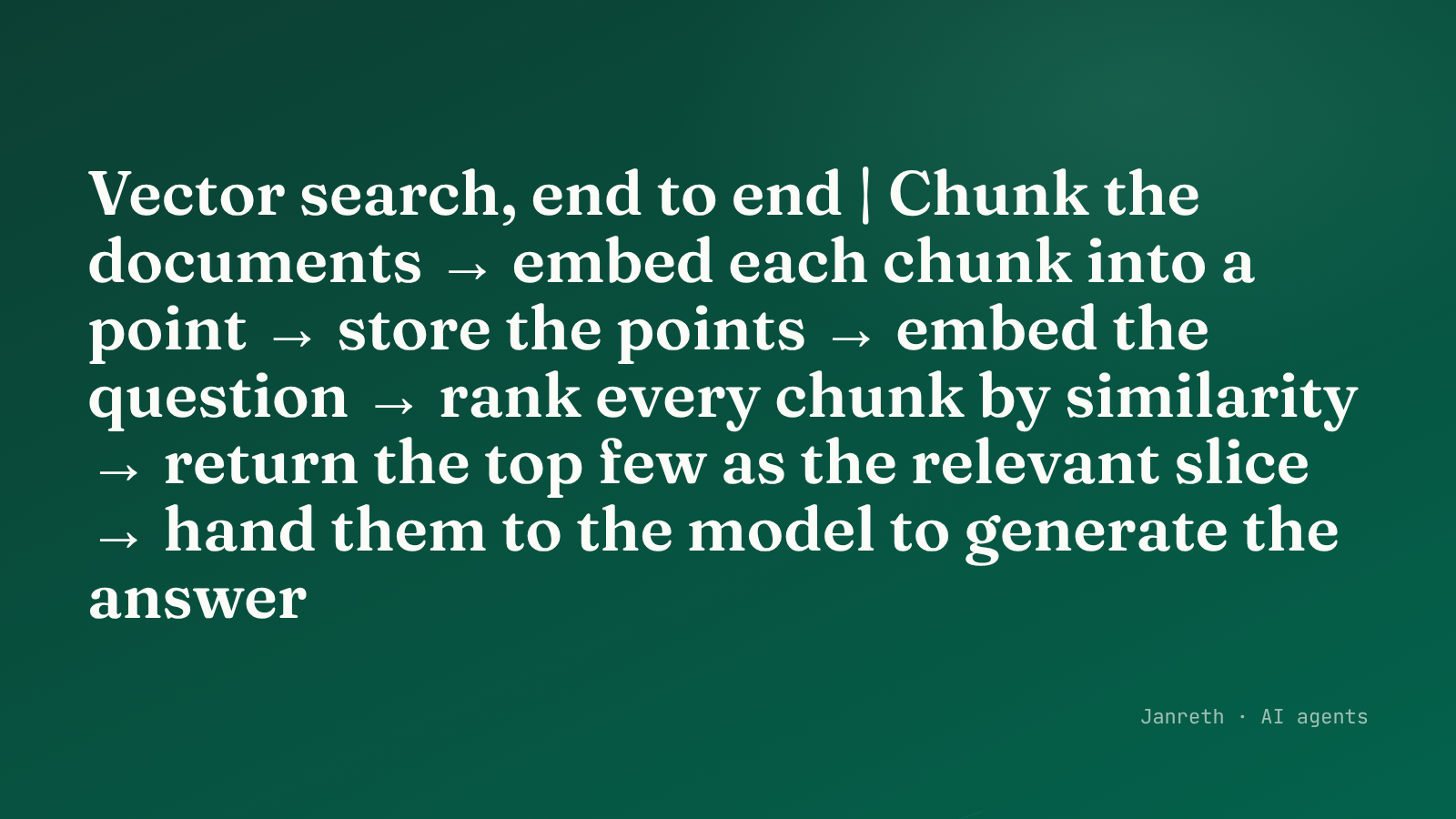 Index once: chunk, embed, store. Search: embed the query, rank by similarity, return the top chunks.
Why the loop stops scaling
The search above compares the query to every vector, one by one. For a few thousand chunks on your
laptop, that is fine. The trouble arrives with size.
A company knowledge base runs to millions of chunks, not thousands. Comparing a query against every one of a million vectors, on every search, is slow, and it repeats that full scan for each new question. The brute-force loop that felt instant on a demo becomes the bottleneck in production.
What a vector database actually does
A vector database is the answer, and the answer is about performance rather than magic. It solves two concrete problems the hand-built version ignores.
It finds near neighbours without checking everything. Instead of scanning all million vectors, it uses an index built for high-dimensional points, so a search touches a small fraction of them and returns the nearest in a fraction of the time. The tradeoff is honest: these indexes are approximate, trading a tiny bit of accuracy for a large amount of speed.
It handles everything around the vectors. Persisting them so you do not re-embed on every restart, updating when documents change, storing each chunk's text and metadata beside its vector, and filtering by that metadata during a search.
| Hand-built (an array + a loop) | A vector database | |
|---|---|---|
| Search cost | Scans every vector, every query | Approximate index, touches a fraction |
| Scale | Thousands | Millions and up |
| Persistence | Re-embed on restart | Stored on disk |
| Updates and metadata | You write it yourself | Built in |
| Good for | Learning, small sets | Production |
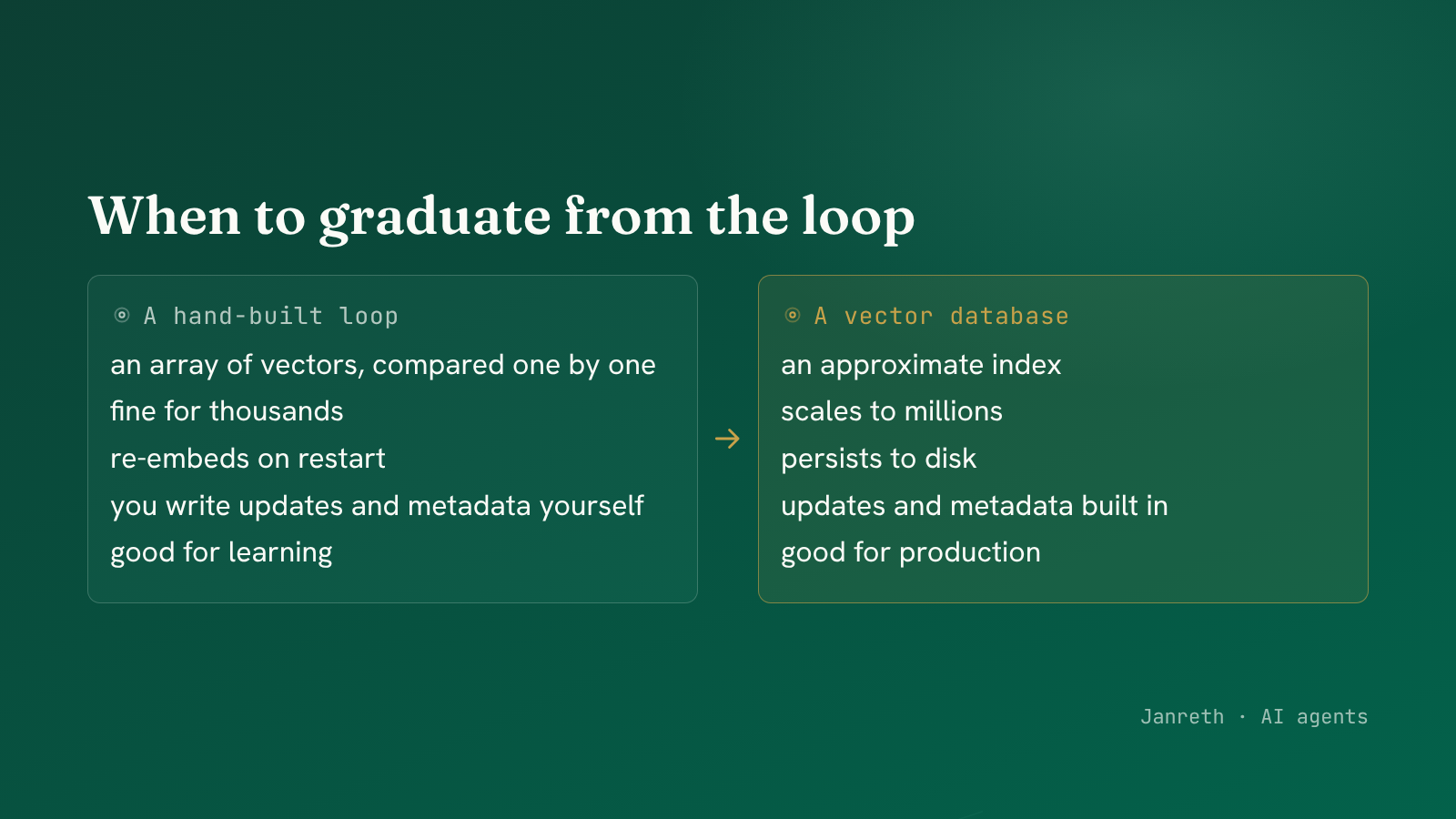 The hand-built loop scans everything. A vector database indexes so a search touches a fraction.
Build the loop first anyway. Understanding the brute-force version is what lets you read a vector database's settings and know what its "approximate" knob is trading away.
What to take from this
- Vector search is short once you have embeddings and chunks: embed the query, compare to every chunk, return the closest.
- That retrieved slice is the "retrieval" in RAG; handing it to the model as context is the "generation", and wrapping search as a tool gives the agent a knowledge base.
- The brute-force loop scans every vector and stops scaling around thousands. A vector database swaps the full scan for an approximate index, trading a little accuracy for a lot of speed, and handles persistence, updates and metadata.
The agent can now retrieve from a knowledge base. Some data has no vectors worth building, though, because its structure is the index already. The next post gives the agent a filesystem to explore.