Post 16 covered what MCP is and why it exists. This one is the build, in three moves: run a server, write a client that talks to one, then turn our own function into a server.
Each move is shorter than it sounds.
Move one: run a server someone else wrote
MCP servers are commonly distributed as packages you launch on demand. A server is a process, so running one means starting that process and speaking the protocol to it.
The quickest way to see what a server actually offers is the inspector, a tool that launches a server and gives you a browser view of it.
npx @modelcontextprotocol/inspector npx -y <some-mcp-server>
Two npx calls stacked: the first runs the inspector, the rest is the command the inspector should
launch. Open the URL it prints and you get a list of the server's tools, each with its name,
description and parameter schema, plus a form to call one and see the raw result.
Spend a few minutes there before wiring anything up. You are looking at exactly the material your model will be given: the names, the descriptions, the argument shapes. If a description reads ambiguously to you, it will read ambiguously to the model.
Move two: write a client
The inspector is for looking. An agent needs to do this programmatically, which is the client's job. It launches the server, asks what tools exist, and calls them.
import asyncio
from mcp import ClientSession, StdioServerParameters
from mcp.client.stdio import stdio_client

server_params = StdioServerParameters(
    command="npx",
    args=["-y", "<some-mcp-server>"],
    env={"SOME_API_KEY": os.getenv("SOME_API_KEY")},
)

async def main():
    async with stdio_client(server_params) as (read, write):
        async with ClientSession(read, write) as session:
            await session.initialize()

            tools = await session.list_tools()
            for t in tools.tools:
                print(f"{t.name}: {t.description[:60]}")

            result = await session.call_tool(
                "search",
                arguments={"query": "current price per million input tokens"},
            )
            print(result)

asyncio.run(main())
Five things happen, and each maps onto something we built by hand.
StdioServerParameters describes how to start the server: the command, its arguments, and the
environment it gets. This is the config block from the security post, in Python.
stdio_client launches it as a subprocess and hands back a read stream and a write stream. The
nested async with blocks are what guarantee the process is cleaned up when you are done.
ClientSession wraps those streams in the protocol. initialize() performs the handshake.
list_tools() is tool discovery. The server returns names, descriptions and parameter schemas.
Compare that with post 14, where we generated the same thing ourselves with to_tool_definition. The
difference is only who produced it.
call_tool() is execution. Compare with execute_tool from post 15: same job, except the
function runs in the server's process rather than yours.
Move three: build your own
Now the part that makes the whole protocol click. Here is our ticket reader from post 14, as a server.
# ticket_server.py
from mcp.server.fastmcp import FastMCP

mcp = FastMCP("ticket-tools")

@mcp.tool()
def read_tickets(quarter: str) -> str:
    """Read the support ticket export for one quarter and return it as CSV text.

    Use this for any question about ticket volume, categories or handling time.
    quarter: formatted as YYYY-Qn, e.g. 2026-Q2. Data exists from 2024-Q1 onward.
    """
    path = EXPORT_DIR / f"tickets-{quarter}.csv"
    return path.read_text()

if __name__ == "__main__":
    mcp.run(transport="stdio")
Those fourteen lines are the entire server. The function itself is unchanged from post 14, character for character.
Three lines did the work.
FastMCP("ticket-tools") creates the server and names it. The name is how a client identifies it.
@mcp.tool() registers the function and generates its schema. It reads the function name, the
type hints and the docstring, exactly as our to_tool_definition did. Same inputs, same output, ten
characters instead of twenty lines.
mcp.run(transport="stdio") starts it, reading requests on standard input and writing responses
to standard output.
The docstring discipline from post 14 therefore pays off here with no extra work. A good docstring is a good tool description, and it now travels with the function to anyone who connects.
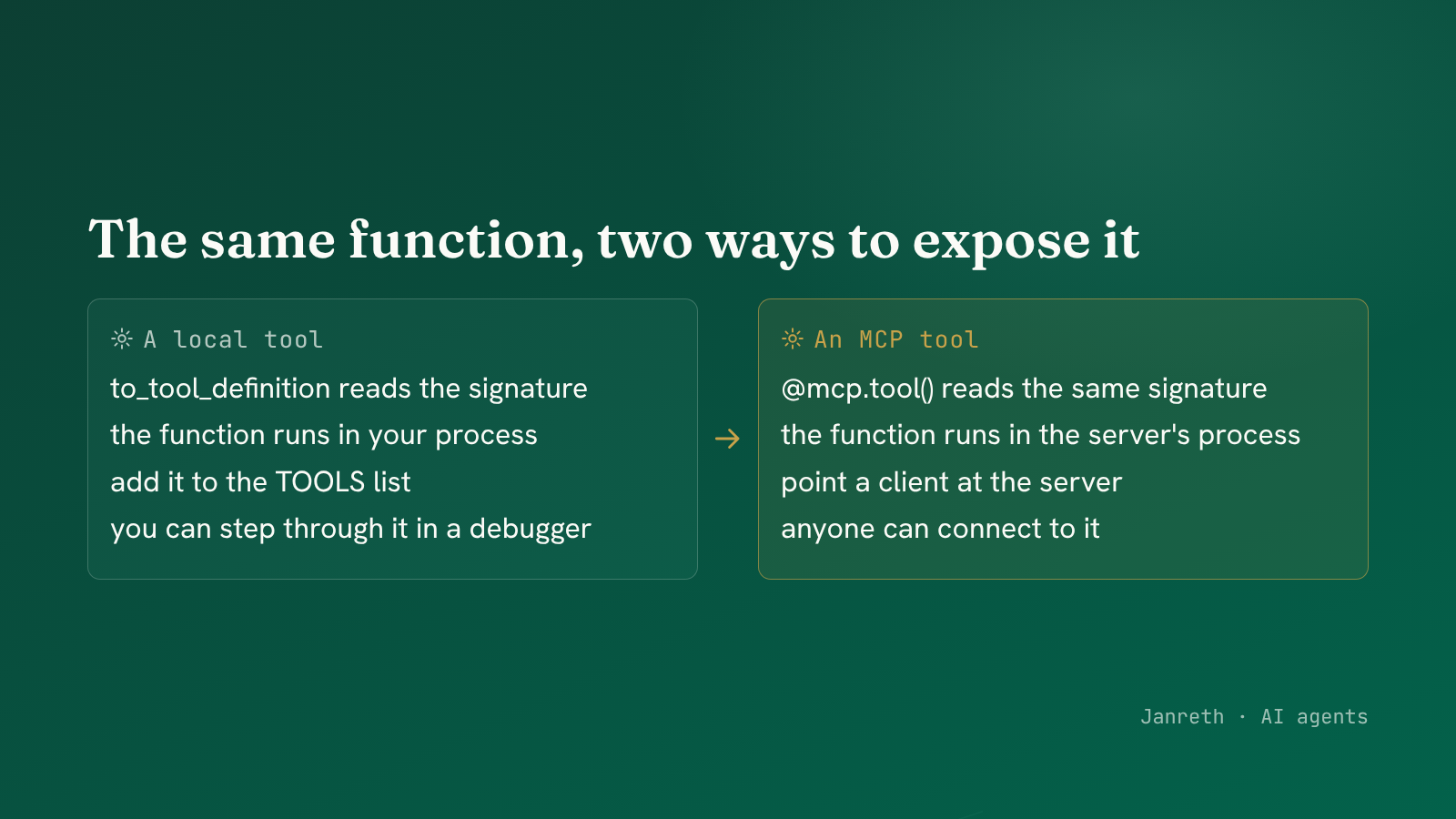 The decorator does what to_tool_definition did: name, type hints and docstring become the schema.
Point your agent at it
The last step closes the circle. Our loop from post 15 looked up tools in a local tool_box. Swap
that lookup for a client session and the loop is otherwise unchanged.
# post 15: the toolbox was local
tool_definitions = [to_tool_definition(t) for t in TOOLS]
result = tool_box[name](**args)

# now: the definitions and the execution both come from a server
tools = await session.list_tools()
tool_definitions = [as_provider_schema(t) for t in tools.tools]
result = await session.call_tool(name, arguments=args)
The control loop, the message list, the error handling and the step limit all stay exactly as they were. Only the source of the tools moved.
| Our own toolbox (post 15) | Through a server | |
|---|---|---|
| Where the schema comes from | to_tool_definition in your code | list_tools() from the server |
| Where the function runs | Your process | The server's process |
| Adding a tool | Add to the TOOLS list | Point at another server |
| Who maintains it | You | Whoever published it |
| What you can inspect | All of it | What the server chooses to expose |
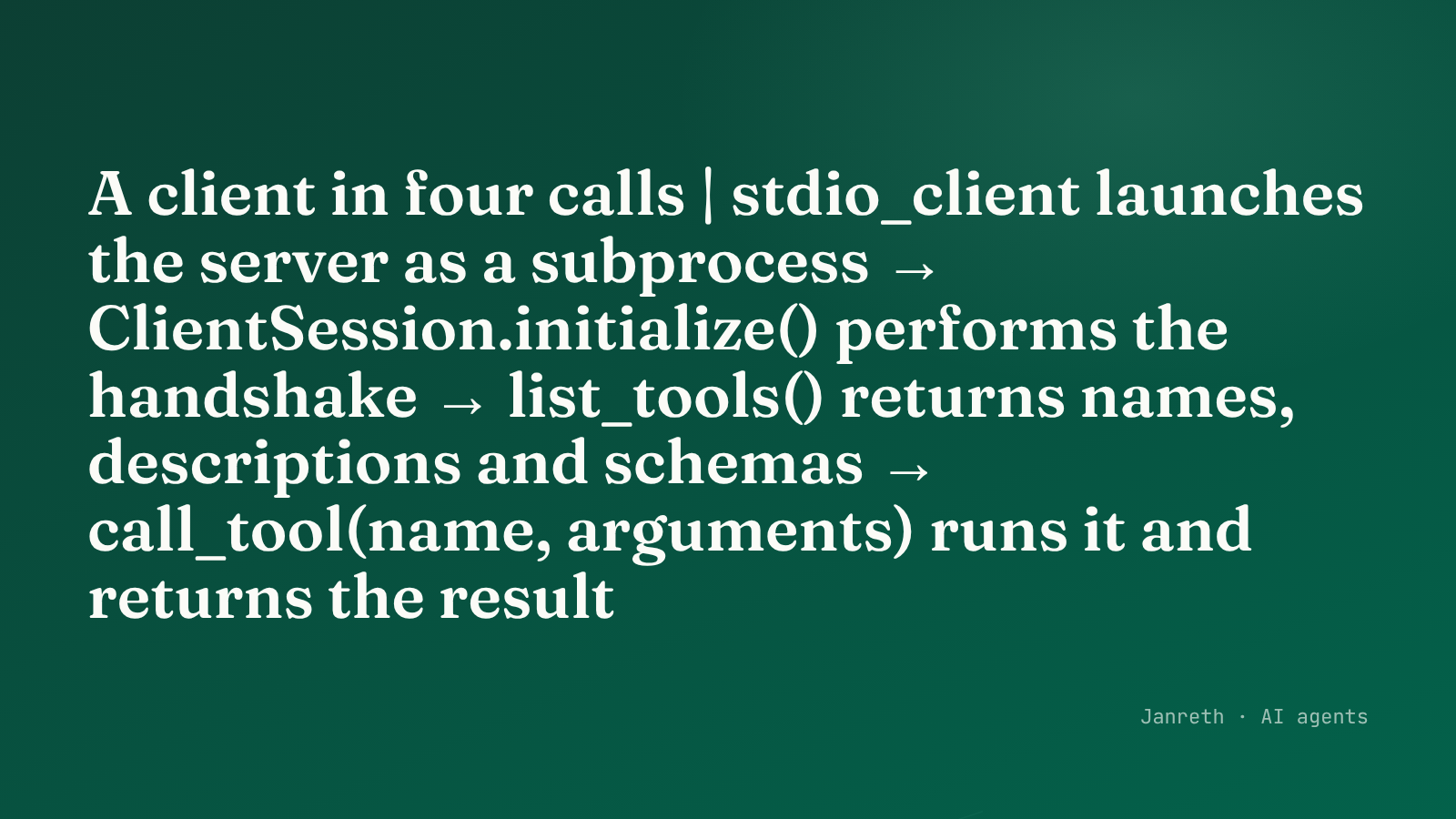 Same loop, same messages, same error handling. Only the source of the tools changed.
When to build your own
Build a server when a tool needs to be shared: across your own agents, across teams, or with people outside your codebase. That is the problem MCP set out to solve, and a server is the unit of sharing.
Keep a tool as a plain function when it is used by one agent and touches only that agent's concerns. A local function is easier to test, easier to step through in a debugger, and has no process boundary to cross. The protocol earns its complexity when something is shared, and not before.
What to take from this
- Look at a server through the inspector before wiring it in. The descriptions you read there are the ones your model will be given.
- A client is four calls: launch, initialize,
list_tools,call_tool. They map exactly onto the discovery and execution we wrote by hand. @mcp.tool()generates the schema from the name, type hints and docstring, which is the same job our own generator did. Write the docstring well and it travels with the tool.- Sharing is what justifies a server. One agent and one function is better off as a function.